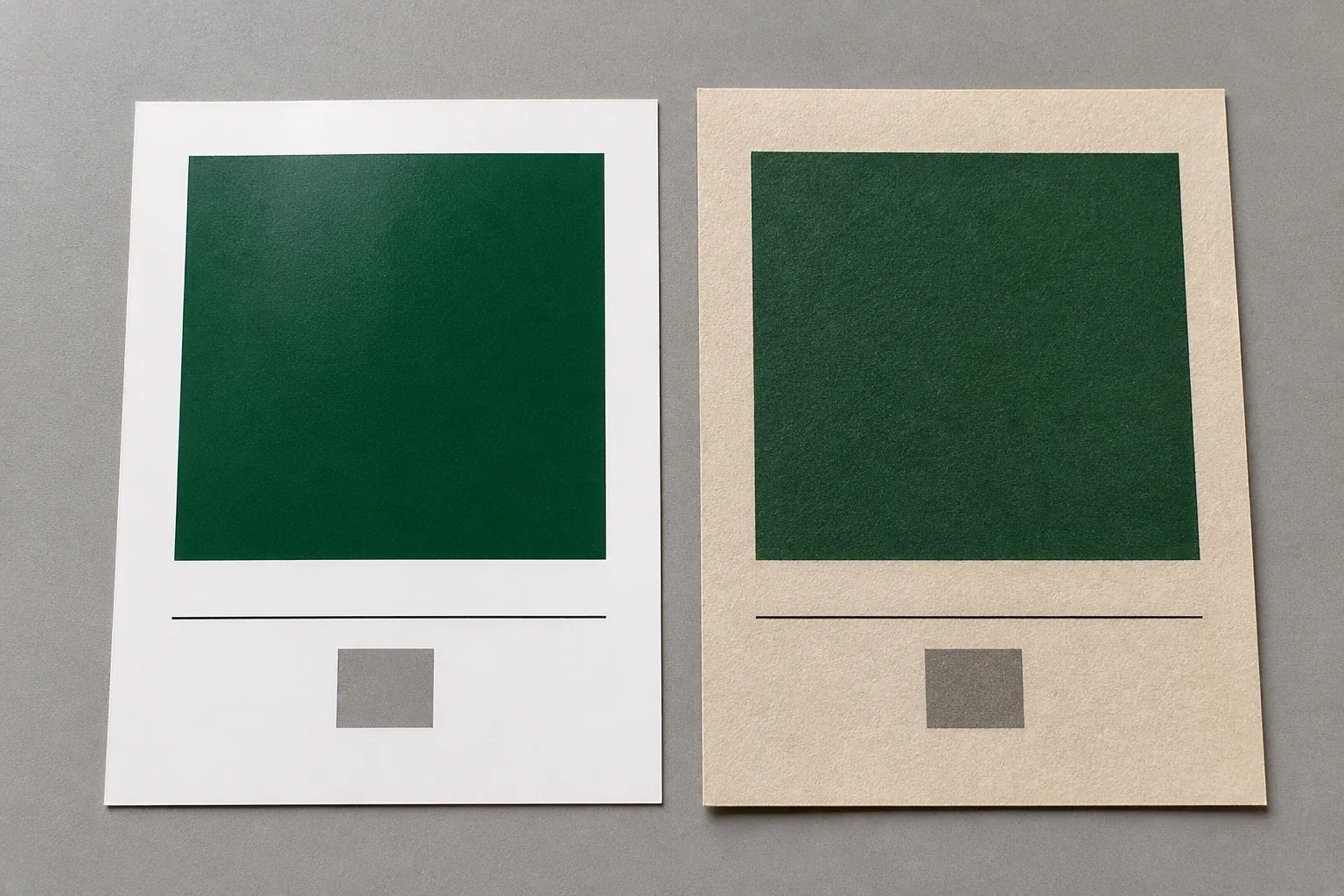
Prepare a brand-color print proof that can be approved
Document the approved color, stock, output condition and reviewer together. A soft proof helps assess direction; the supplier's physical sample on the intended stock is the object to approve.
Control the variables
Coated white and natural uncoated papers have different ground colors. Photos taken under different lighting cannot establish a measured color difference. Place the proofs together and leave an unprinted patch to identify the paper itself.
Give digital and physical proofs distinct jobs
A soft proof simulates output using a selected profile. Ask for the condition suited to the stock and device, and confirm whether the application or driver performs color management. Put stock, revision and reproof conditions on the job sheet. Adobe print color management
Starting materials
Gather the approved color definition, intended stock, supplier output condition and an existing signed proof. Compare under consistent lighting.
Example prompt
Lay out the same green patch beside small type, a thin line and gray reference. Reserve space for the stock, job number, approval date and reviewer.
What to check
Confirm the stock, ink and output setup with the printer. Compare physical proofs together and record the exact artwork revision and signed sample.