
Match product variant images to id, item_group_id and additional images
Three glazes of a mug can share one variant group while each still has its own product ID and corresponding photos. Check three feed rows, then verify the image from the live color selector.
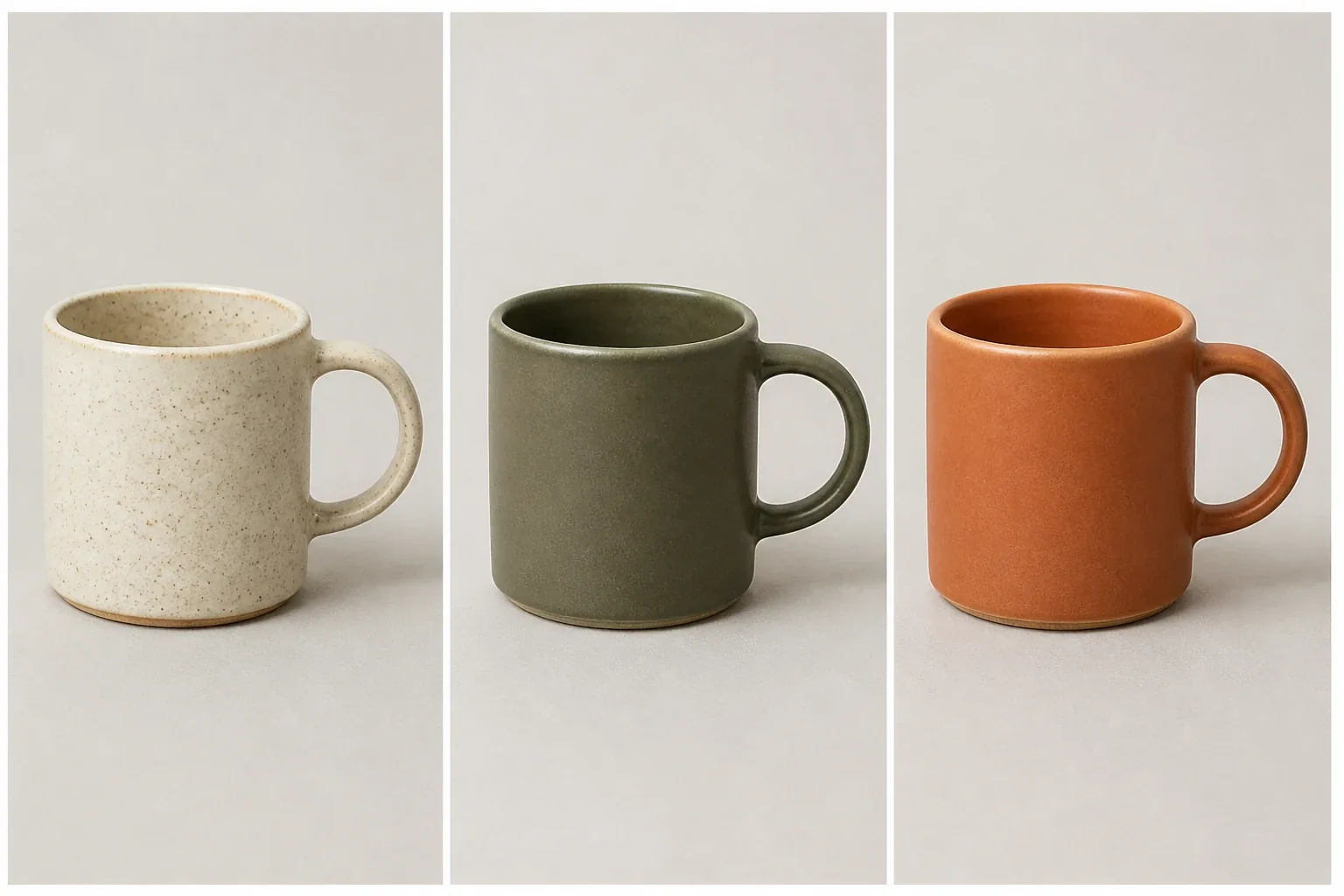
Lay out three feed rows
| Example item ID | Group ID | Color | Lead image |
|---|---|---|---|
| MUG-IV | MUG-01 | Ivory | Ivory mug |
| MUG-SG | MUG-01 | Sage | Sage mug |
| MUG-TC | MUG-01 | Terracotta | Terracotta mug |
These are sample values. Give different variants their own product IDs and use one consistent group ID for variants of the same product. Supply the actual distinguishing attributes. Google's item group guidance
Select additional views per variant
Attach the sage mug's rim close-up, side and lifestyle images to the sage row. A speckled glaze needs its own detail shot. Google supports up to ten additional images per product using additional_image_link. Give each view a distinct purpose. Additional image guidance
Test the buyer's path
Open the product link from the feed, select the color and inspect both lead and thumbnail. Switch away and back, then reload. Record errors by SKU, view and filename so the team can replace the right asset.